


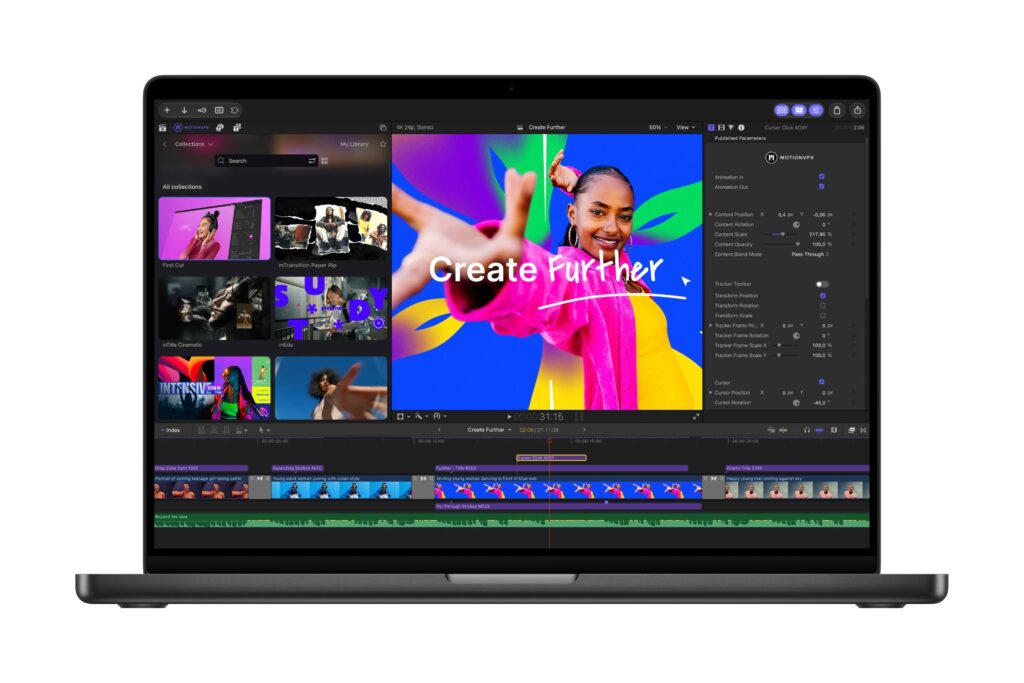
Sometimes the biggest news arrives in a press release, and this is a big one for FCP users. Way back in March, Apple bought MotionVFX, the largest FCP plug-in maker, but nothing seemed to happen. Finally that’s changed, and Apple have announced that MotionVFX’s visual effects, plug-in, transitions, templates and motion graphics tools will be built-in to the Apple Creator Studio edition of Final Cut Pro and Motion.
This is a huge deal, and a solid reason to go for the subscription version of FCP if you were on the fence. MotionVFX’s titles have been excellent, but it used to cost $29 to subscribe to their tools alone. Apple Creator Studio costs just $12.99, including Final Cut Pro, Motion, Logic Pro and lots more besides.
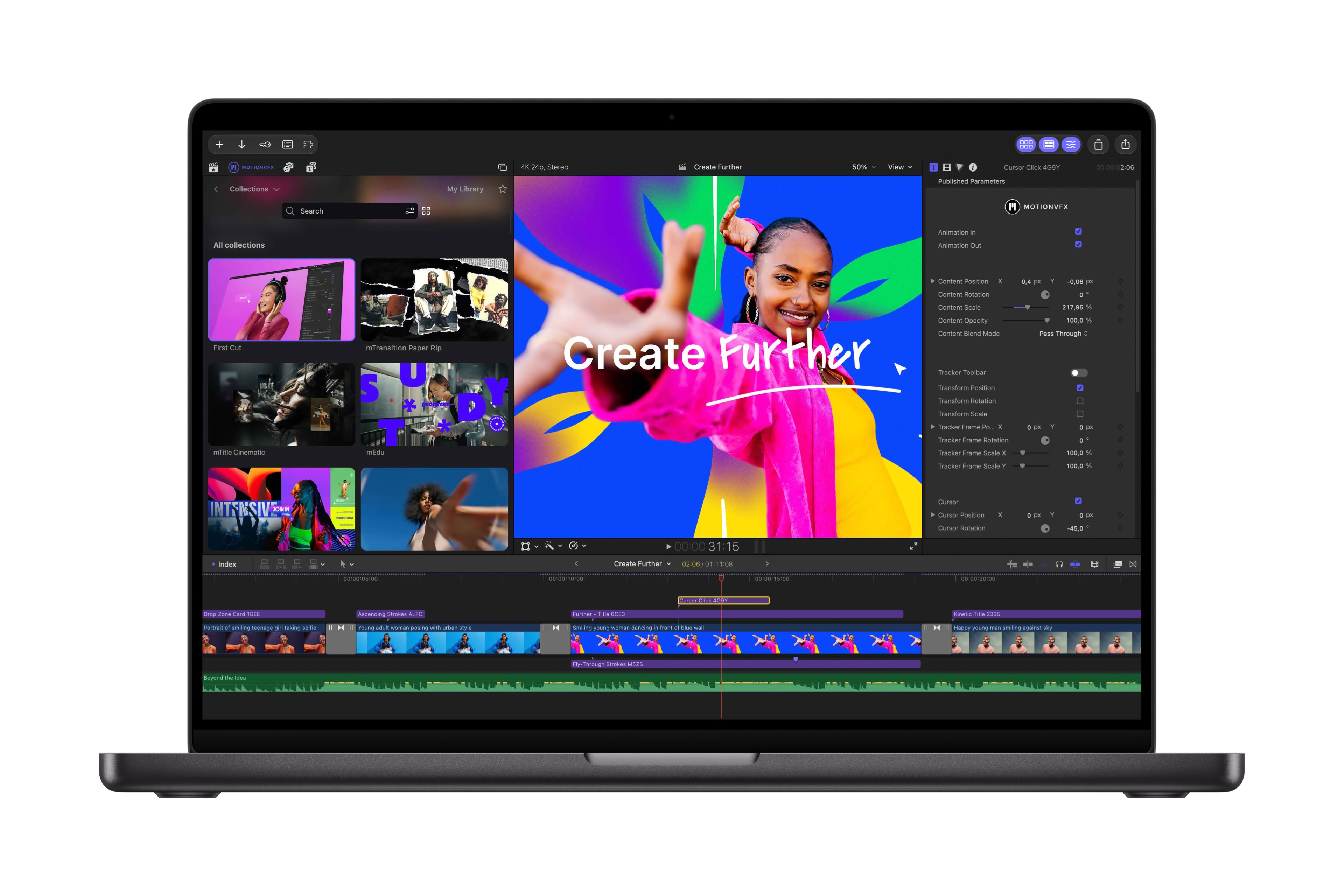
It’s not yet clear how all this new content will be installed and managed, but it looks like there’s a new, dedicated tab next to Titles and Generators in the top left. Tools for rotoscoping, tracking and color grading have all been explicitly mentioned, so it doesn’t seem like anything’s being held back.
As well as MotionVFX, several other improvements have been announced, and we’ll go through all these in more detail once the apps go live. Some bullet points, with comments:
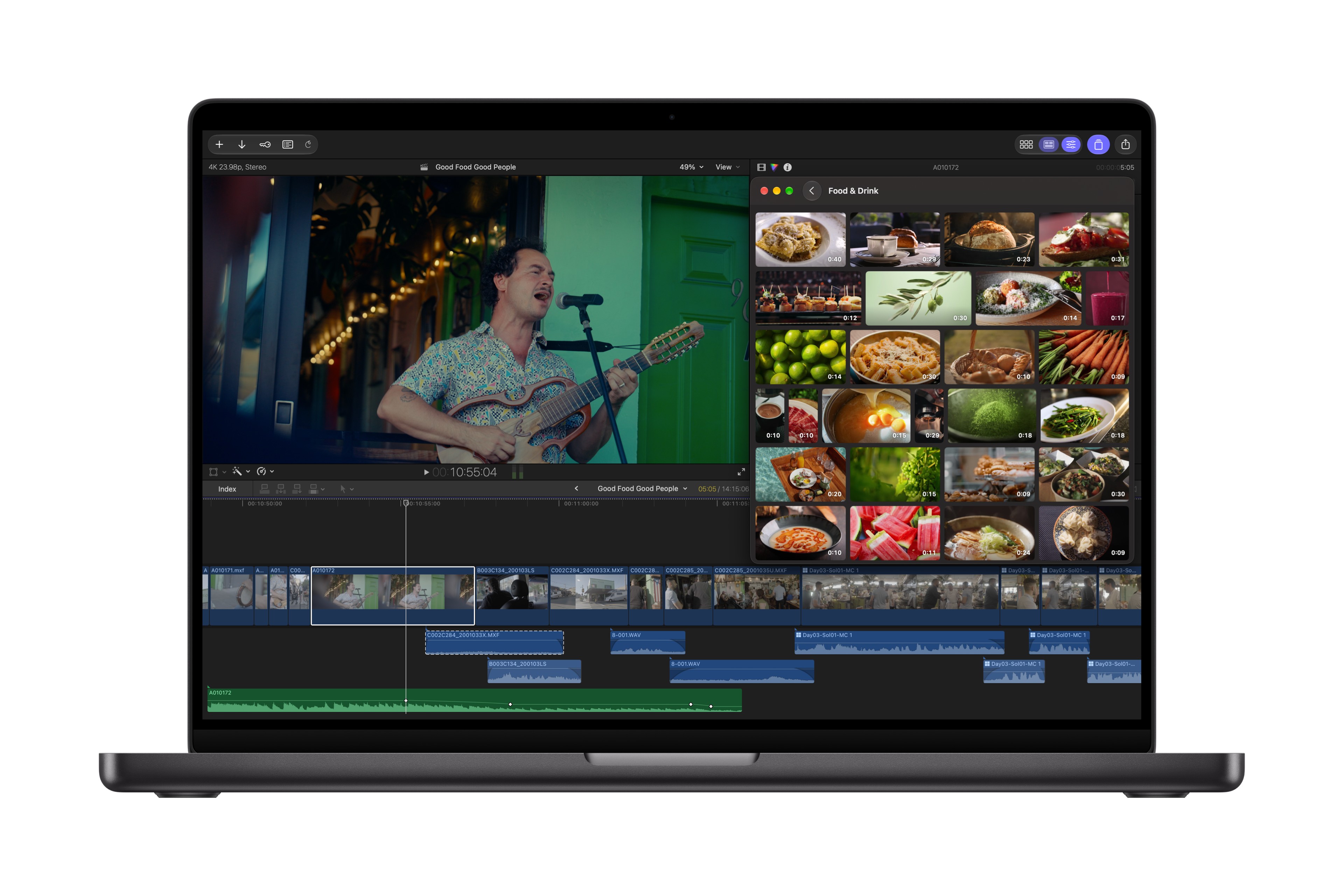
- Apple’s curated Content Hub now includes video assets and is available in Final Cut Pro (and also Keynote, Pages and Numbers).
The Content Hub has been one of the most useful features in Keynote for me, and hope the video selection is broad enough.
Some new features for FCP
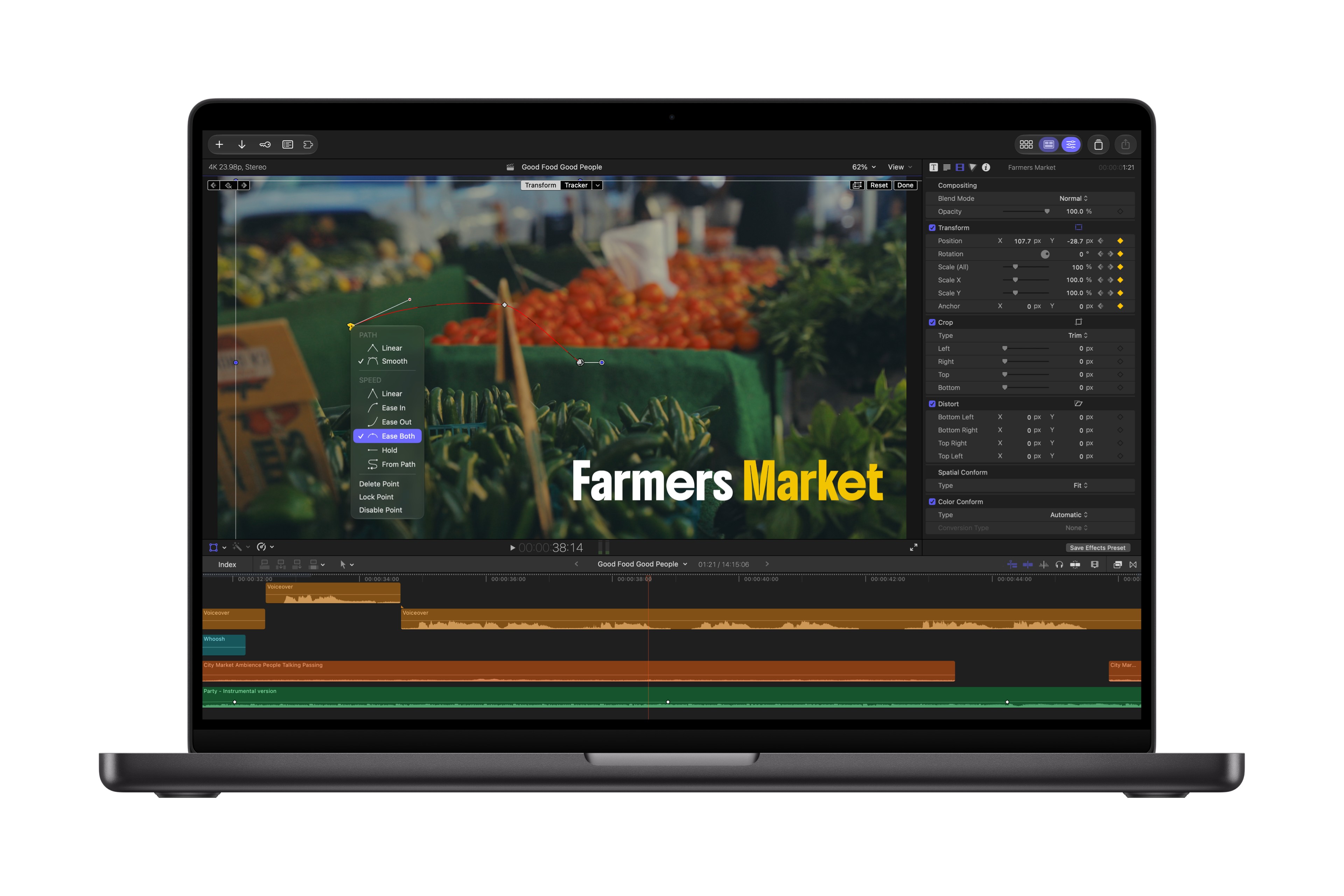
- More keyframe easing options for finer animation control
As the co-creator of Keyframe Toolbox, a tool that brings full keyframe graphs to Final Cut Pro, I’m very keen to see how far they take this. From the screenshot shared you can change easing options in the Viewer.
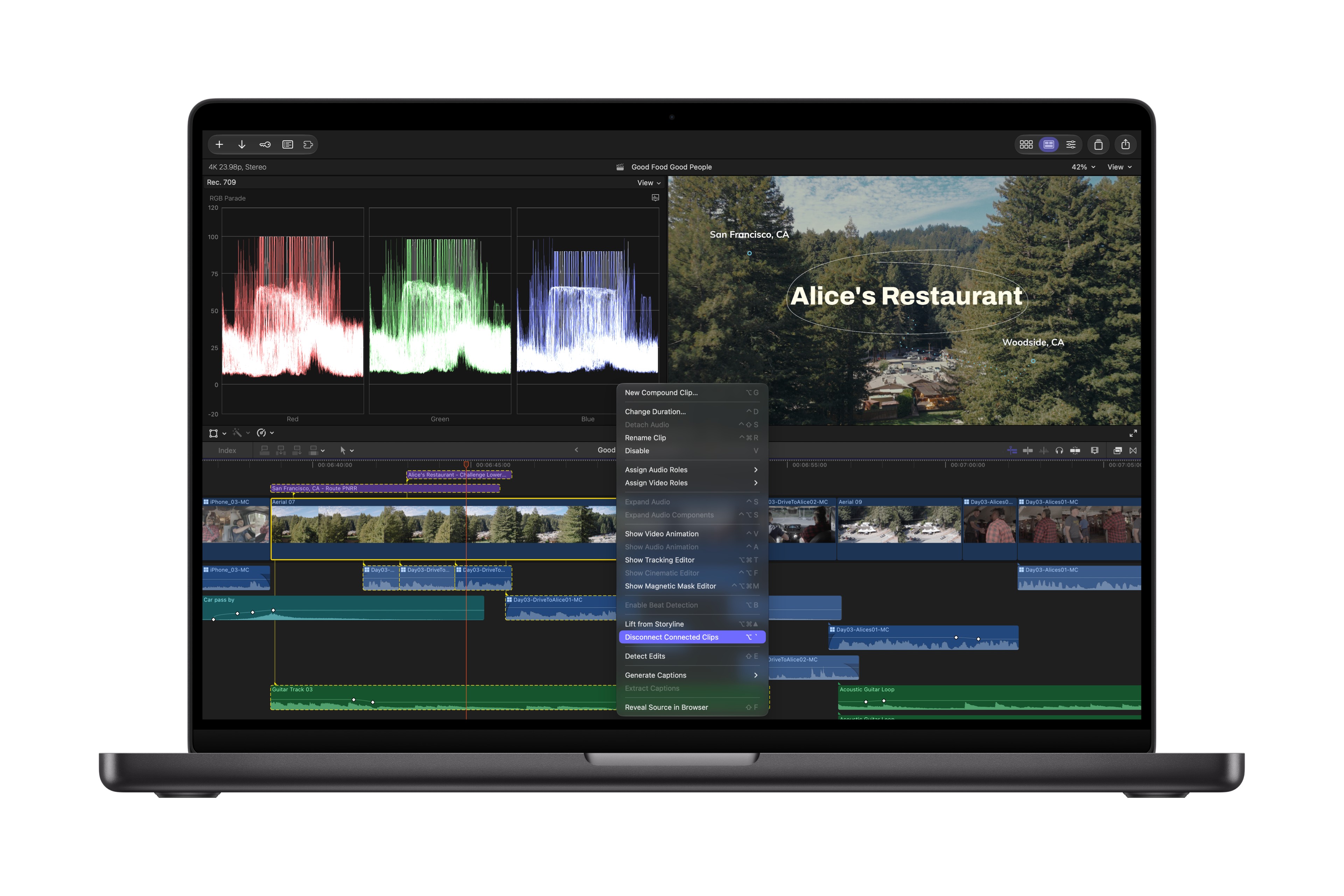
- The ability to disconnect clips from the primary storyline to place them anywhere on the timeline
Very interesting, looking forward to digging into this! I suspect some editors who never liked the magnetic timeline might really like this idea. From the screenshot, it also looks like connected clips are outlined when a parent is selected.
- 23 new transcription languages, making it easier than ever to caption and search footage.
Finally, all the transcription and captioning added in recent updates will be available to many more people around the world.
And for Pixelmator Pro
- Pixelmator Pro introduces Generate Fill, which lets creators transform selected areas of an image using natural language.
Photoshop’s Generative Fill has been very useful, and I’m looking forward to putting this one through some tests.
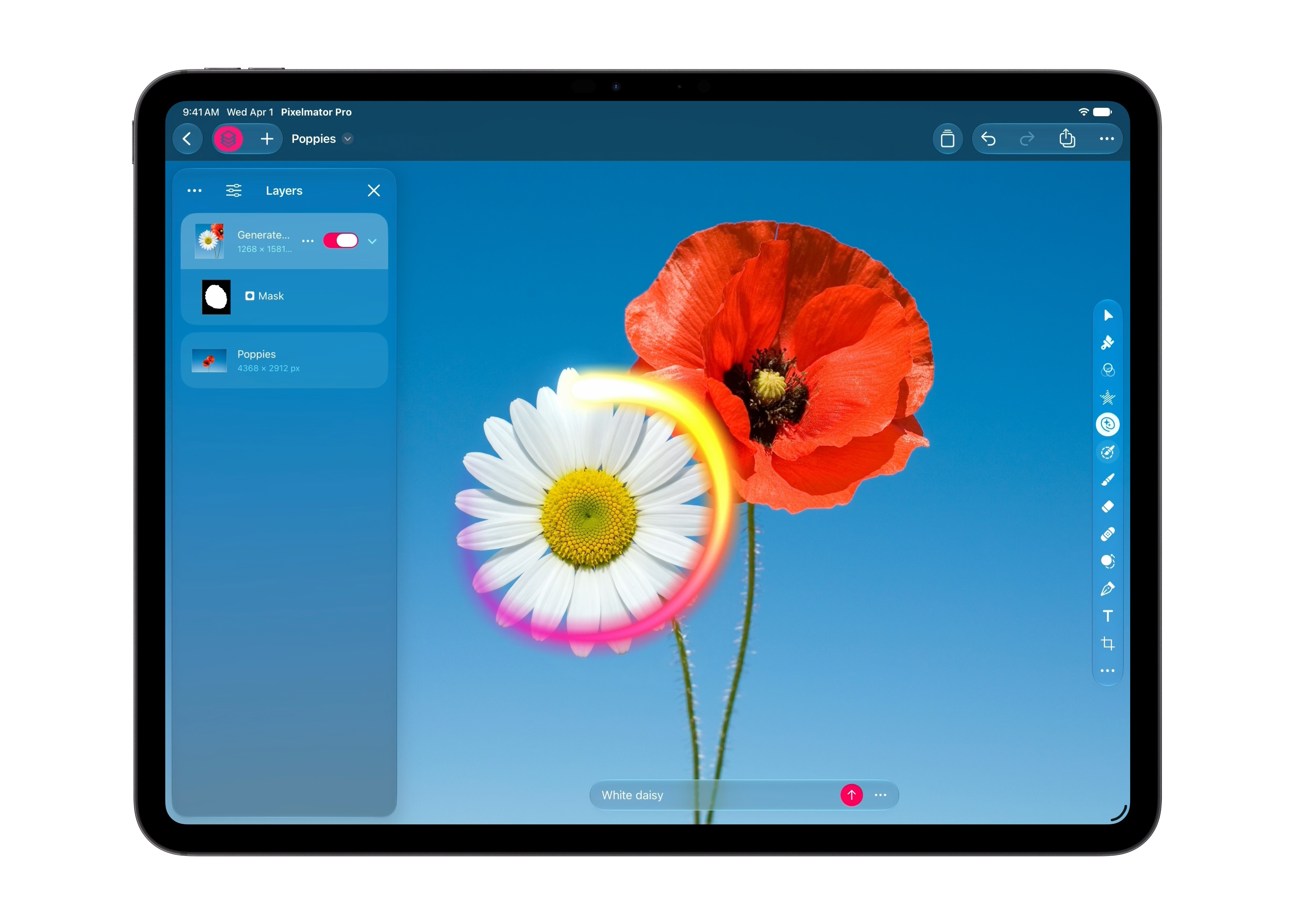
- Editors can open any image from their timeline directly in Pixelmator Pro, take advantage of advanced editing tools, and save changes back to the project automatically — no reimporting required.
Nice! Though we’ve been able to send images to Pixelmator Pro from FCP for some time, this sounds like something else.
Logic Pro too
- Logic Pro gains a new Browser that allows users to explore and experiment with more sounds than ever, as well as a new Liquid Glass design.
Updates to well-used user interfaces are welcome
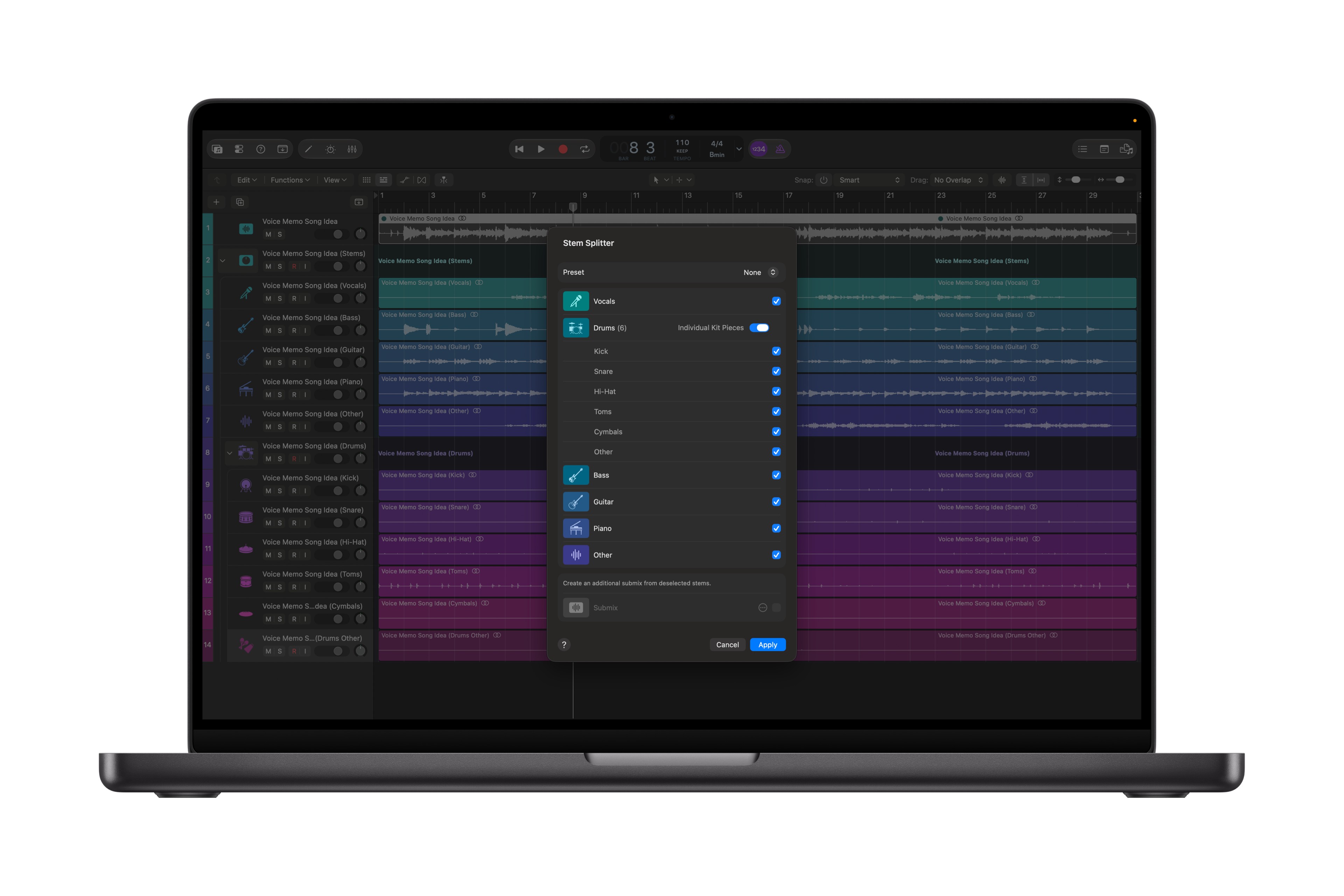
- Logic Pro gets an enhanced stem splitter.
The stem splitter is great, and saved me on a conference job just last week. Music was playing underneath a presenter’s speech, but it overpowered her voice in the only recording available. Stem Splitter saved the day, and updates are always welcome.
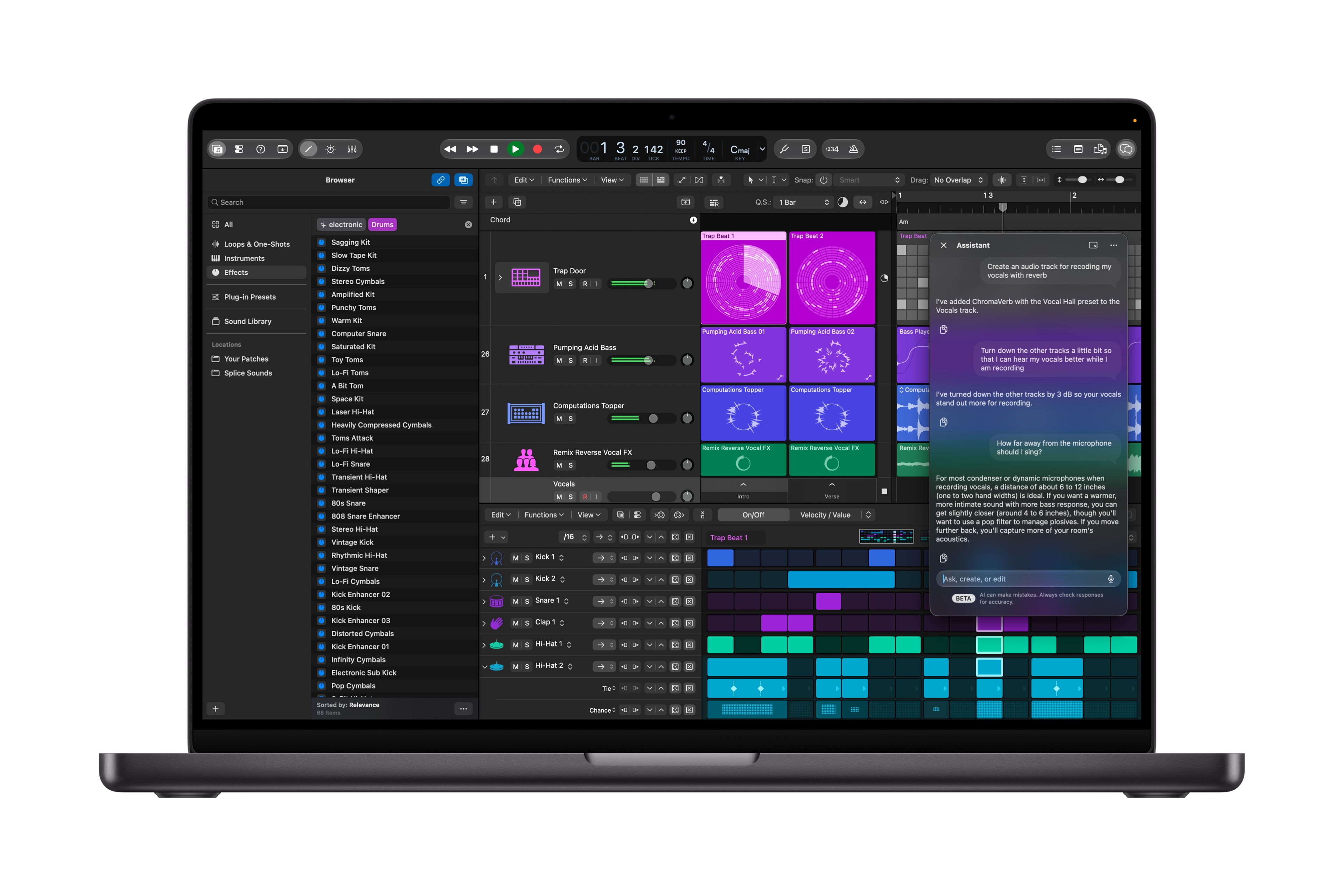
- Logic Pro gets a new intelligent assistant powered by a combination of Apple-built models and OpenAI.
Adobe have been adding assistants to all their apps and it’s interesting that Logic Pro is getting one before FCP or Motion.
The apps previously known as iWork
- Keynote, Pages, and Numbers introduce new AI features in beta, including assistants that understand document context and new Model Context Protocol (MCP) support for workflow automation.
The full suite of office-like applications getting AI Assistants isn’t surprising, to be honest, but building in MCP support for full third-party control? As more people outsource their app use to their personal agents, we’ll see more of this, and the office apps are of course more widely used than FCP. Fascinating, and again, surprised that FCP doesn’t support this yet. Given that Logic Pro has an assistant, I’d expect FCP to get one soon enough.
- Keynote introduces support for Keynote Interchange Format (.keyx), an open JSON-based bundle file format designed to be readable and accessible to external tools, developer workflows, and AI agents.
Again, a really interesting move. The easier it is for AI tools to work with your files, the more likely people are to want to use your file formats. Open formats is a more obvious way for Apple to compete with Microsoft and Google, and I think we’ll see some interesting improvements here.
Conclusion + a quick hardware note
You can read the press release yourself here, and you can also read all about the new MacBook Pro with M6 chip they just announced too. Note: the rumored MacBook Pro with touch screen has not yet been announced, but it could be soon.
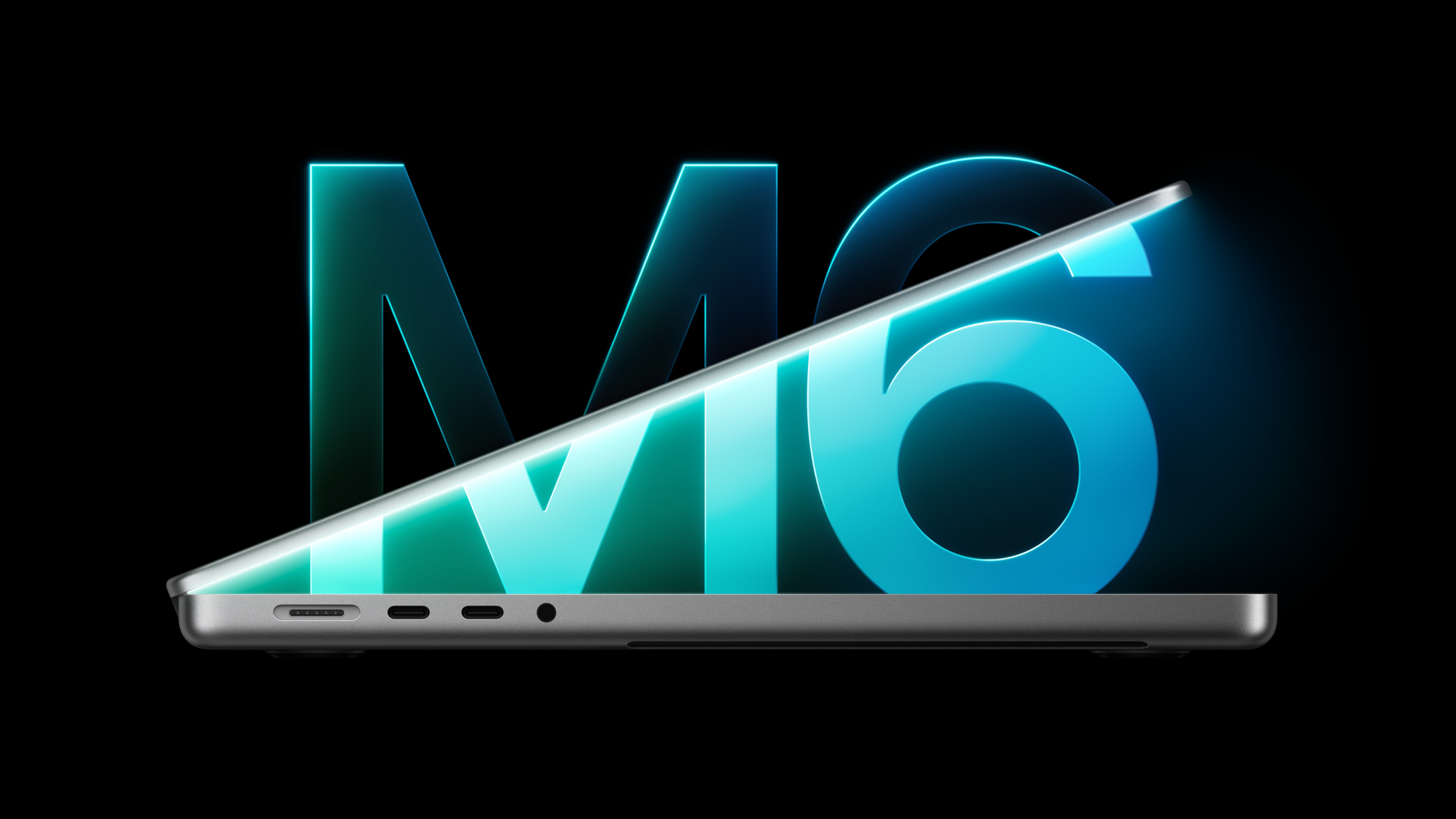
Internally, though this MacBook Pro features an M6, we apparently won’t see M6 Pro or M6 Max in a MacBook Pro. According to rumours, Apple will be skipping the M6 Pro and M6 Max chips to get to M7 Pro and M7 Max faster. If you’re a video editor or animator looking for one of these, it’s probably M5 Pro/Max now, or M7 Pro/Max in about a year.
OK — up to date! Let’s see what happens with new Macs soon, and looking forward to a huge new collection of video and audio tools in November.